QuickLink at Manufacturing
How is QuickLink used at Manufacturing?
QuickLink can be used as the software client on the assembly line that will retrieve and execute the instructions for the end-of-line procedure (defined as an MTSL script).
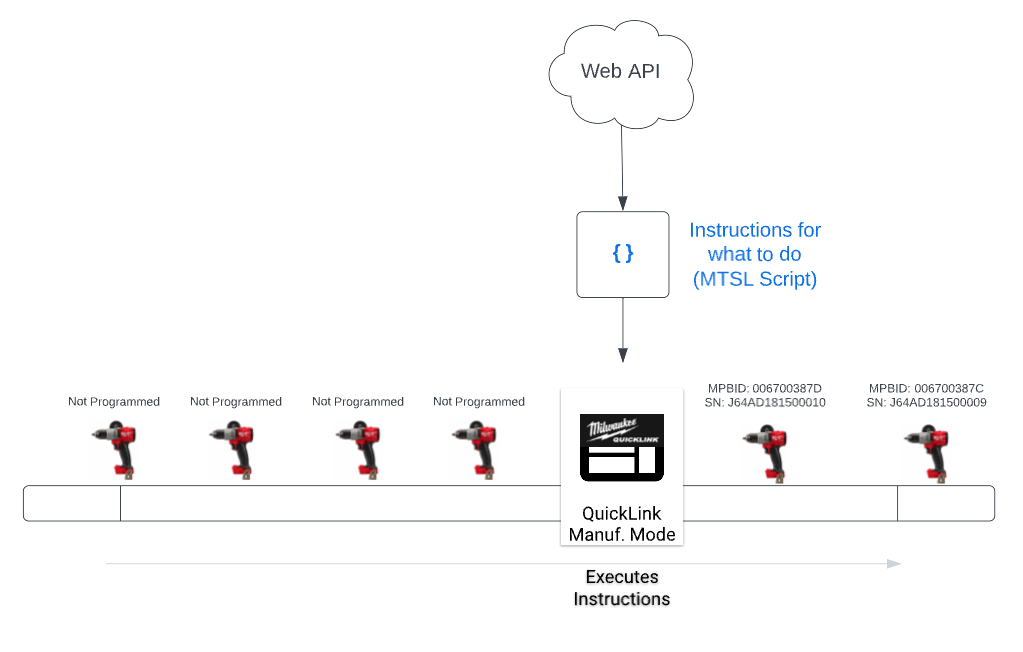
QuickLink is not ALWAYS going to be the software client executing the MTSL script. The assembly line requirements for each product may vary.
QuickLink will typically used in scenarios where we have a stand-alone programming station (i.e. - programming not integrated with other systems or EOLT rigs) or by 3rd party contract manufacturers. As of Q1 2023, QuickLink Manufacturing mode is only being used in North America.
If we need to integrate programming into other fixtures (e.g. - End of line testing rig) then that fixture would retrieve the MTSL script and follow the instructions.
The remainder of this article will refer to the cases where it does make sense to use QuickLink as the software client on the line (as a standalone programming station)
What does it mean to "program" a tool?
Within the context of this document, "programming" does NOT refer to installing firmware.
Programming a tool refers to the process of:
- Provisioning a unique MPBID, Serial Number, and other single-tool-specific metadata
- Reading and writing that tool-specific metadata to the tool
- Performing any product-specific configurations defined by electrical engineering
- Confirming BLE module is operational and configured (if applicable)
- Printing nameplate and other labels (if applicable)
- Uploading tool record metadata to the Milwaukee Tool global data platform
Note: The list above is not exhaustive. The exact end-of-line programming procedure varies by product.
Benefits of using MTSL Scripts and QuickLink
| For Manufacturing Facility | For NPD Team |
|---|---|
| No servers to configure | Direct control over what happens at programming station |
| No manual re-entry of product metadata | Changes to procedure can be live in minutes, not days |
| No manual step of "reserving" MPBIDs | Ability to run and test scripts locally in BRK |
| No manual re-definition of Serial Number formats | Visual the programming procedure as a flow chart |
| No use of "Bartender" files for label layout configuration | Procedure easily referenced and shared years later |
| Simplified UI for Line Operator (reduce human error) | |
| System support in same Time Zone | |
| Updates pushed to line PCs automatically |
Assembly Line Configuration
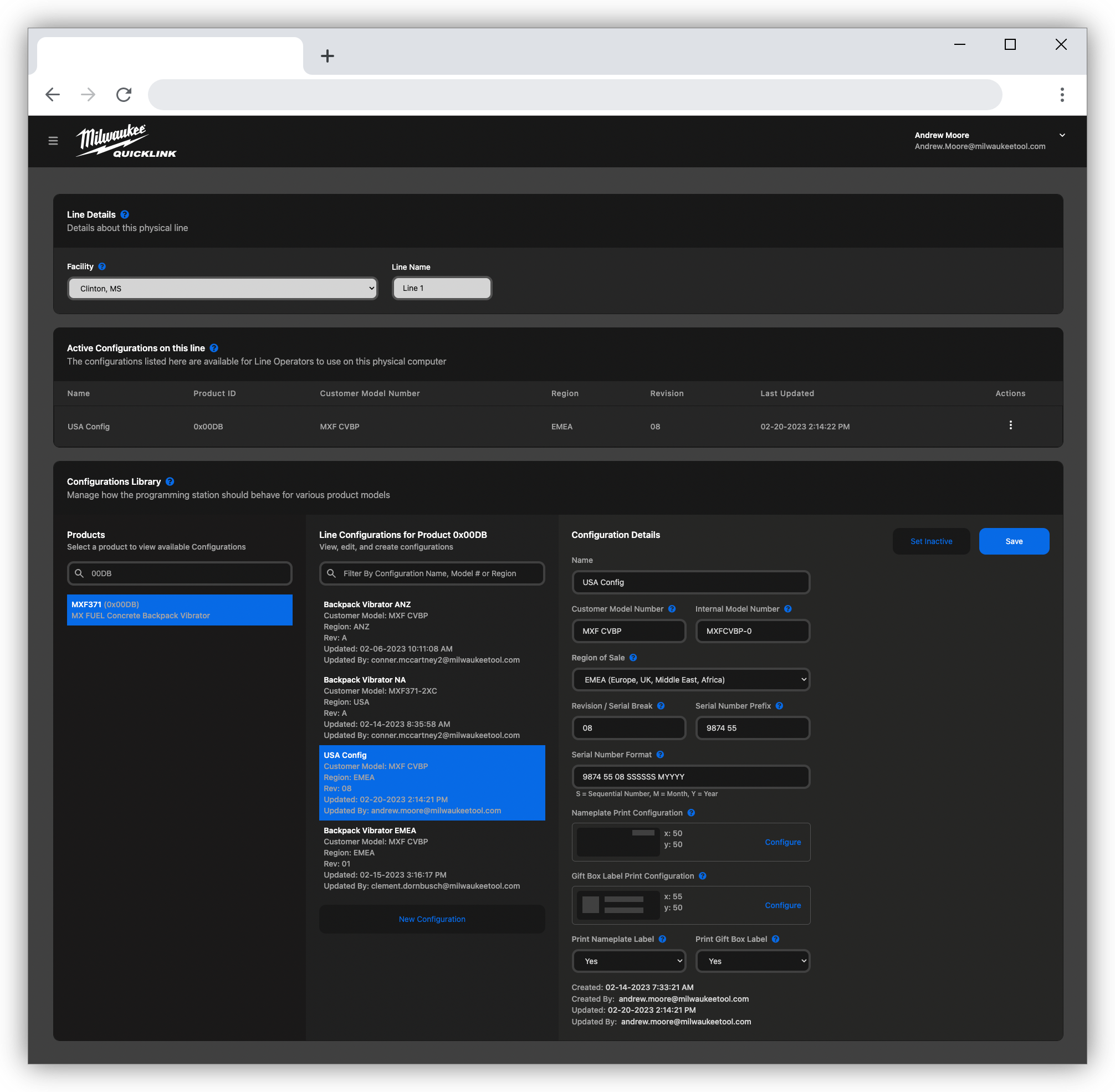
Manufacturing Engineers create "Configurations" for the product they're producing.
Here they can control things like:
- Which pre-defined Serial Number format to use
- The (x,y) position where the Serial Number should be printed on the Nameplate Label
- Various other printer/label settings
- Which configurations the line operators on this PC can access
- More...
Programming Station
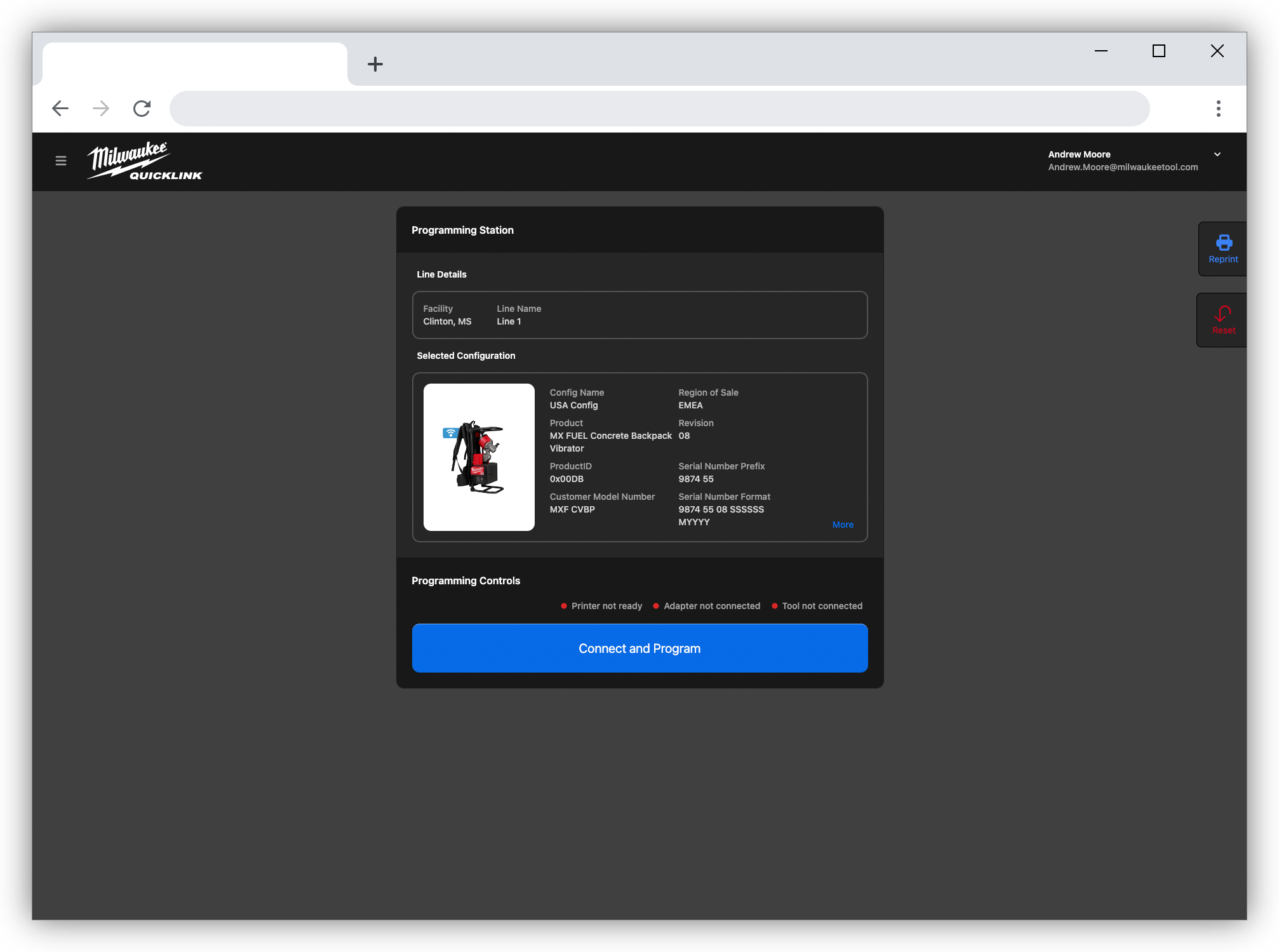
Once a PC is configured, the Line Operator simply connects the tool and clicks the "Connect and Program" button
What happens when the "Connect and Program" button is clicked is controlled dynamically via an MTSL script for that product.